Hello world!
Welcome to WordPress. This is your first post. Edit or delete it, then start writing!
Read more
Caritas Christi – The Love Of Christ
Caritas Christi – The Love Of Christ



If you are experiencing issues with your device’s power supply, please review the following guidelines regarding replacements and warranty coverage.
Warranty Replacements: The original Lenovo charger provided with your tablet is covered under warranty. If your charger is malfunctioning or defective, bring it to the Tech Center for a replacement at no cost.
Lost or Stolen Units: Please note that the warranty does not cover lost or stolen chargers. However, official Lenovo replacements are available for purchase directly at the Tech Center.
Third-Party Alternatives: You are welcome to purchase an aftermarket USB-C charger from your preferred retailer. While these are often a convenient option, please keep in mind:
Aftermarket chargers are not covered under the Lenovo warranty.
To ensure the safety of your battery, it is vital to use a charger with the correct wattage.
Not sure which charger to buy? If you choose to purchase an aftermarket unit, stop by the Tech Center first. Our team can provide you with the specific technical requirements (voltage/wattage) to ensure your new charger is safe and compatible with your tablet.
Modern security extends beyond our school’s network perimeter to include user and device identity. SMCHS now also uses identity-driven signals as part of its access control decisions from outside our campus.
Our Conditional Access brings network and device security together to make decisions and enforce our organizational policies, and one of these policies is the restriction based on LOCATION.
Location Conditional Access will limit access to only pre-determined locations. Any user must complete this form before traveling out of the state or country.
You must let us know you will be traveling so we can open things up for your access during that time. (Click Here)
The school is purchasing an accidental damage protection service which covers some repairs and replacements for tablets damaged by accidents (see below). It is a cost-efficient service solution that helps reduce downtime and saves considerable cost in repairs. With accidental damage protection service, we can accurately predict and budget service costs for future years.
Accidental damage protection service for tablets usually cover the following:
Drops, liquid spills, electrical surges and damage to the LCD screen.
Accidental damage incurred at home, at school, and in transit.
Full coverage for extensive repair (multiple repairs if needed) or replacement of your laptop, up to the value of laptop.
Accidental Damage Protection Service however does NOT cover theft or loss, damage due to fire, acts of God, intentional damage or gross negligence, use in unsuitable operating environment. Students and their families are financially responsible for any damage done to loaner tablets.
My Laptop is in for repair:
Were sorry to hear that you are having issues with your laptop. It’s great to know that SMCHS offers loaners to help you out in such situations.
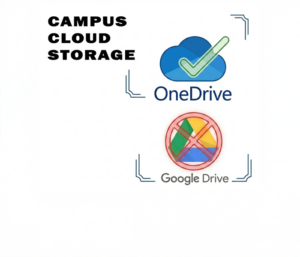
Using our loaners devices, you will need to access your documents online. You can log in to Office.com using your credentials and access the files online. It’s important to save any new data to OneDrive so that you can easily access it from any device.
Lastly, we will contact you when your laptop has been repaired and ready for pickup. You will need to return your loaner at that time.
I forgot my laptop at home:
Being Prepared for School and having your device with you when arriving at school is the student’s responsibility. The Tech Center has a limited amount of Loaner Devices which are for students with a need for laptop repairs only.
The student will be asked to call their parents so they can have it delivered to campus.


There are many variations of passages of available but the majority have
suffered alteration in some form, by injected hum randomised.
Welcome to WordPress. This is your first post. Edit or delete it, then start writing!
Read more